← → Use the arrow keys or the arrows at the sides to continue. Scroll down to continue. One system
One card for your entire operation Employees use their own cards. The company manages their access in one system.
ChipLogin One card Your access to work. Windows and applications Convenient sign-in to your own account at your work computer.
Machines Operator authentication and transfer of permissions to the control system.
Doors Entry to buildings and rooms based on assigned access rights.
People, cards and access in one place See who has access to what. Easily update permissions.
People Cards Permissions
For employees
Strong passwords. Easy sign-in. Convenience for employees. Fast, efficient management for your company.
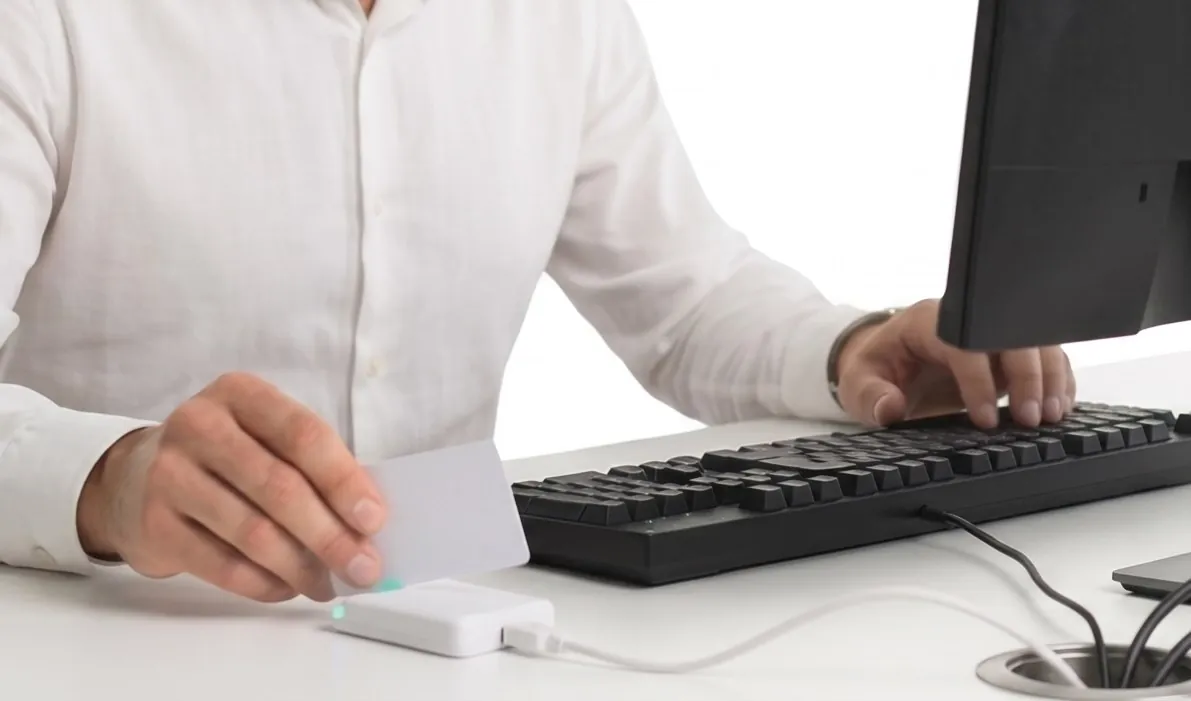
Get to work faster Tap your card and ChipLogin fills in your sign-in details.
Easy handovers at shared computers At a shared computer, each person uses their card to sign in to their own account.
Strong passwords without typing No need to type a long, complex password every time you sign in.
Illustrative image The same convenience in applications The card also fills in credentials in supported business applications.
Machines · benefits
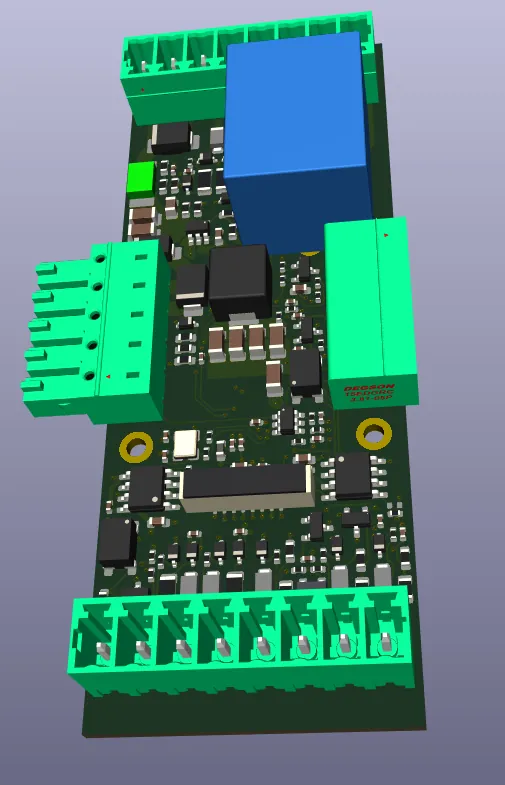
The right operator for each machine ChipLogin tells the machine who has signed in and which permissions they have.
Digital model of the ChipLogin machine board How the machine reader works↗ Access based on permissions.
Give operators access to the appropriate functions based on their assigned rights. Linked to training and qualifications.
Consider the required training and qualifications when assigning access. Visibility into machine use.
Records help trace who presented their card at the equipment. Doors · solution
You decide who can enter your premises Employees use the same card to identify themselves at a building or room entrance.
Building access Employees enter the building with their own cards and assigned permissions.
Materials and spare parts stores You decide who can access each storage area.
Access records See when a card was used at a door and whether access was granted or denied.
Visitor cards Issue visitors a card with access to designated areas.
For your business
Management that saves HR and IT time People, accounts and cards in one place.
01 A new colleague joins Import employee lists from Excel or CSV HR
02 Roles or cards change Update assignments and access rights. Replace a lost card for the same person.
03 An employee leaves Revoke access through ChipLogin and trace the change in the audit trail
Audit log Trace access checks and permission changes, including the time and person involved.
All permissions in one place Manage access to computers, machines and doors together.
XLSX and CSV Spreadsheet file formats, for example for employee lists. XLSX is commonly used in Excel; CSV stores a table as text.
Audit log A history of events that lets you look up what happened, when it happened, who was involved and the outcome.
How it works
One tap. Several layers of protection. Auth
Card and reader → approved workstation ↔ company Auth server
01 The card proves it It answers a cryptographic challenge
02 Workstation and server trust each other An approved workstation connects. Both the workstation and Auth verify the other party and communicate over an encrypted connection.
03 Auth checks access Checks the card, identity status and assigned account. Prepares the sign-in credentials.
From Auth → to the sign-in component Credentials arrive protected The server encrypts them for the sign-in component, which passes them to Windows.
From authentication → to the audit log Authentication leaves a record The authentication result, associated identity and workstation are recorded in the audit log.
Auth server A company service that authenticates cards and checks permitted access. It lets you manage multiple computers from one place.
IT — technical administration The people who keep computers, networks and company systems running.
Cryptographic challenge At each authentication, the card receives a fresh challenge that it solves using its secret key. A copied card number or an old response is not enough to sign in.
Sign-in component The part of ChipLogin on the Windows sign-in screen. It passes the account credentials to the system; Windows decides whether to allow sign-in.
Audit log A history of events that lets you look up what happened, when it happened, who was involved and the outcome.
Cards and authentication
Simple to use. Copying the number is enough
ChipLogin DESFire DESFire EV2 / EV3 Digital signature PKI Certificate-based card For secure sign-in and approvals
Confirm access and authorise important actions.
The card proves it
125 kHz The frequency the card uses to communicate with the reader. Here it refers to common older identification cards that use the number alone to grant access.
UID — card number An identifier read from the card. The number itself is not secret and does not replace authentication using a secret key.
MIFARE Classic An older type of smart card with known weaknesses in its Crypto1 cipher. Modern technologies are used for new secure access systems.
DESFire A type of smart card that proves knowledge of a secret key during authentication. ChipLogin therefore checks more than just its public number.
PKI Authentication using a key pair and a digital certificate. The private key on the card creates a signature; the public key verifies it.
IT — technical administration The people who keep computers, networks and company systems running.
Security in daily use (frequently asked questions)
Security for everyday operations Your sign-in credentials stay with you. Routine sign-in does not depend on the internet or the cloud
Your credentials stay with you Passwords are stored encrypted on your company Auth server local
Your infrastructure · your control Block a lost card Issue a replacement while keeping the employee's record and accounts.
A forgotten card need not stop work Signing in to Windows with your own password remains available.
Use your new password with the card too Change your password in Windows. After you successfully enter the current password, ChipLogin updates its stored credential.
Trace events and changes in the history The audit log
Cloud Services operated outside your company network and accessed over the internet. ChipLogin uses them for purposes such as licensing and diagnostics.
Auth server A company service that authenticates cards and checks permitted access. It lets you manage multiple computers from one place.
Local The ChipLogin variant for a standalone computer. It authenticates cards and stores credentials directly on that computer.
Verification hash A short value calculated from data. Changing the data changes the hash; comparing it with a trusted stored hash helps reveal later changes.
Audit log A history of events that lets you look up what happened, when it happened, who was involved and the outcome.
Requirements and responsibility
Unmanaged access can cost your business millions GDPR NIS2 ZKB
01 Manage identities and how they are authenticated.
ChipLogin: Each employee signs in with their own card.
02 Access rights should reflect the job and changes in role.
ChipLogin: Manage access to computers, machines and doors in one place.
03 Ensure security proportionate to the risks of processing.
ChipLogin: Encrypts sign-in credentials and stores them within your environment.
04 Protect records and ensure they are retained as required.
ChipLogin: Trace access checks and permission changes.
GDPR The EU regulation on personal data protection. It also covers employee data and records that can be linked to an individual.
NIS2 The EU directive on cybersecurity. In Czechia it is implemented by the Cybersecurity Act; its obligations apply to providers of specified regulated services.
ZKB The Czech abbreviation for the Cybersecurity Act. It sets obligations for regulated providers; their scope depends on the service and regulatory regime.
Practical support
Put access rules into practice ChipLogin combines people management, card authentication, data protection and an audit trail
01 User identification Personal card, personal account Link each employee to their card and accounts. When used, the card proves knowledge of its secret key.
02 Permission management Keep access up to date Manage assignments, block cards and revoke access through ChipLogin. Delegate routine tasks to authorised HR
03 Data protection Protect data in your own environment ChipLogin encrypts stored credentials and their transfer. Your infrastructure stays under your control.
04 Event records Concrete evidence for your review Trace authentication and administrative changes. Verification hashes
Audit log A history of events that lets you look up what happened, when it happened, who was involved and the outcome.
Verification hash A short value calculated from data. Changing the data changes the hash; comparing it with a trusted stored hash helps reveal later changes.
Deployment and support
From one computer to your entire company. Use ChipLogin at a single workstation or across a large company network.
Standalone A standalone computer Handle card sign-in and access management directly on one computer.
Works without a connection to the company network. Connected Central management for the whole company Manage employees, cards and access across your company network from one place.
For small networks and large operations alike. System setup Prepare the selected computers and set up card sign-in.
Card and access management Issue cards, change permissions and block lost cards.
Technical support We help you with setup and troubleshooting.
Throughout the working day
One card for the whole working day From the building entrance to your work computer and on to the machine.
Convenient entry for employees.
Employees use the same familiar way to gain access. Access overview for administrators.
Administrators work with people and their assigned access rights. Easy permission changes.
Adjust access to areas to match the current job role. Computers. Machines. Doors. ChipLogin.
Let's choose your first workstation and the right setup.→


 Illustrative image